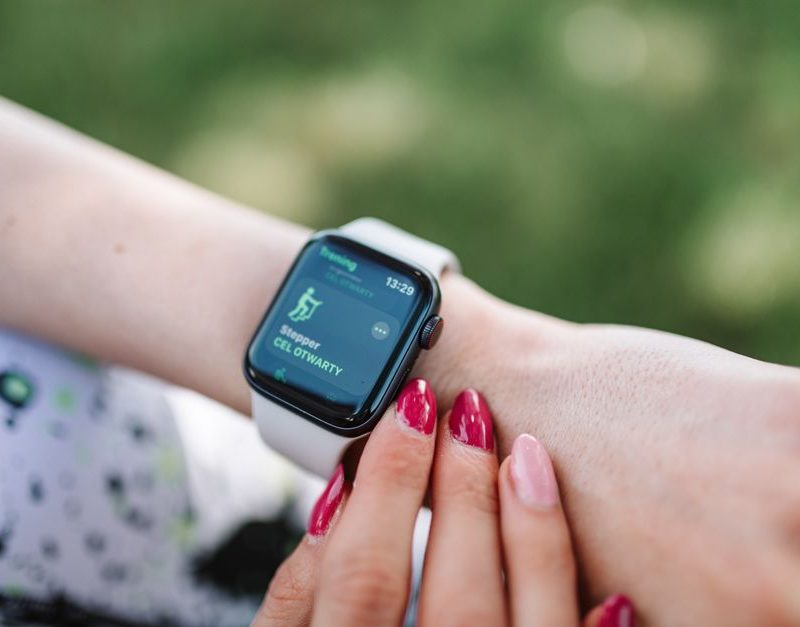
You finish a walk, check your phone, and realize you have no idea how far you went or whether that late bedtime is becoming a pattern. A fitness tracker can answer those questions without turning your wrist into a tiny smartphone.
The Fitbit Inspire 3 remains one of the easiest trackers for daily steps, heart rate, sleep, and simple workout motivation. It is light, discreet, and rated for up to 10 days of battery life. The catch is clear: serious runners need built-in GPS, and some of Fitbit’s deeper coaching tools sit behind Google Health Premium.
The Fitbit Inspire 3 is best for quiet, everyday accountability
My verdict: buy the Fitbit Inspire 3 if you want a small tracker that helps you walk more, sleep more consistently, and notice health trends without the distraction of a full smartwatch. It is not the best choice for marathon training, detailed strength programming, or people who want every feature with no subscription option.
The hardware gets the basics right. The tracker measures 39.32 by 18.6 by 11.75 millimeters and weighs 17.69 grams, so it is easy to forget during sleep. Its color touchscreen shows steps, heart rate, exercise stats, alarms, and phone notifications. The device also supports 5 ATM water resistance for shallow-water use, although Fitbit does not call it waterproof.
What the small design does well
The narrow shape is the main reason to choose Inspire 3 over a watch. It sits under a shirt cuff, does not dominate a bedside table, and feels less distracting during work. The screen is bright enough for quick checks, while the band stays comfortable during overnight wear. A clip accessory is also available for people who prefer not to wear it on the wrist.
Where the hardware stops short
There is no built-in GPS. For outdoor runs, walks, and cycling, Inspire 3 uses connected GPS from your phone. That means you need to carry the phone if you want a route, pace, or distance map. The display is also too small for long messages and detailed workout plans. For simple health tracking, those limits are acceptable. For training, they are decisive.
How to judge a fitness tracker before you buy one
A tracker earns its place by helping you make better decisions, not by collecting the largest pile of numbers. Use this five-part test before paying for any model.
1. Start with the habit you want to change
- Pick one measurable behavior. Choose a daily walk, a consistent bedtime, three weekly workouts, or fewer hours sitting. A tracker cannot fix five habits at once.
- Check how quickly the device gives feedback. A useful tracker should show steps, active minutes, or heart rate without forcing you through several menus.
- Match battery life to your routine. If you want sleep data, a device that needs nightly charging will create gaps in the record.
- Separate trend data from medical data. Heart rate, oxygen saturation, skin temperature, and sleep stages can help you spot patterns. They do not diagnose illness.
- Read the subscription rules first. Some brands sell the hardware cheaply and charge later for coaching, reports, or deeper insights.
2. Test comfort before chasing accuracy
A perfect sensor is useless if the band stays in a drawer. Wear the tracker for a full day, then sleep in it. The strap should sit snugly enough to keep the sensor in contact with your skin but loose enough to avoid pressure marks. During exercise, a slightly higher position on the wrist often gives cleaner heart-rate readings than a loose band near the hand.
3. Use trends instead of single readings
One bad sleep score does not prove that your sleep is broken. One high heart-rate reading may reflect caffeine, heat, stress, or a hard workout. The practical test is a two-week pattern: are you walking more, sleeping at steadier times, or recovering better after activity? That is where a tracker becomes useful.
Fitbit Inspire 3 versus Garmin and Xiaomi
The Inspire 3 wins on simplicity, but it is not the only sensible small tracker. The comparison below shows where the main tradeoffs appear.
| Tracker | Typical price or list price | Battery | GPS | Best for |
|---|---|---|---|---|
| Fitbit Inspire 3 | $99.95 list price; Google Store US recently showed $69.95 on sale | Up to 10 days | Connected GPS through phone | Sleep, steps, stress, and simple daily coaching |
| Garmin vívosmart 5 | $149.99 suggested retail price | Up to 7 days | Connected GPS through phone | Garmin training tools and Body Battery without a required subscription |
| Xiaomi Smart Band 9 | Varies by market and promotion | Up to 21 days typical use | No built-in GPS; phone support depends on the app | Long battery life and a bright AMOLED screen |
Fitbit’s official specifications list 17.69 grams, a two-hour full charge time, seven days of detailed minute-by-minute motion storage, and 30 days of daily totals. The official Fitbit specifications also confirm the 39.32-millimeter length and 10-day battery claim.
Choose Inspire 3 for the clearest health dashboard
Fitbit is the strongest pick for a beginner who cares about sleep scores, daily movement, resting heart rate, and gentle reminders. The Google Health app presents those trends in a way that most people can understand quickly. That clarity matters more than a long list of sports modes if your real goal is to walk more and build a stable sleep routine.
Choose vívosmart 5 for training freedom without a paid plan
The Garmin vívosmart 5 costs more at its $149.99 suggested retail price and lasts up to seven days, but Garmin includes tools such as Body Battery, stress tracking, and multiple activity profiles without requiring a membership. Garmin’s official materials confirm 5 ATM water resistance and connected GPS. It is the better choice for an active user who already likes Garmin Connect.
Choose Smart Band 9 for battery life
The Xiaomi Smart Band 9 is the battery winner. Its official specifications list a 1.62-inch AMOLED display, up to 1,200 nits of brightness, a 15.8-gram body without the strap, and up to 21 days of typical use. It is the better value for someone who hates charging. Fitbit remains the better choice for sleep-focused guidance and a more familiar wellness dashboard.
How to use Fitbit Inspire 3 for a useful two-week routine

Do not start by chasing the daily step goal. Start by creating a clean baseline. The first two weeks should show what your normal schedule looks like, then give you one small target to improve.
Days 1 to 3: set up the baseline
Wear the tracker from morning until bedtime and keep it on overnight. Turn on heart-rate tracking, sleep tracking, reminders to move, and only the phone notifications you actually need. Too many alerts make the tracker feel like another noisy phone. Record your normal bedtime, wake time, and the amount of walking you already do.
Days 4 to 10: change one variable
Add a 10-minute walk after one meal, or move your bedtime 15 minutes earlier. Do not raise steps, workouts, water intake, and sleep targets at the same time. Inspire 3 can log runs, bike rides, weights, yoga, and other activities, but the useful signal comes from repeating one behavior long enough to compare it with your baseline.
Days 11 to 14: review the pattern
Open the app and compare sleep duration, resting heart rate, active minutes, and daily movement. Look for relationships. Did your sleep improve on days when you walked earlier? Did a late workout raise your heart rate at bedtime? Did a busy day create more sedentary time than you expected?
Use Active Zone Minutes when effort matters more than distance. The tracker gives extra credit for time spent in higher heart-rate zones, which can make a brisk 25-minute walk more meaningful than a slow stroll that produces a large step count. Connected GPS is useful for mapping a route, but it still requires your phone nearby.
Daily Readiness Score can help guide the next workout, but treat it as a suggestion rather than a command. If you feel ill, dizzy, unusually short of breath, or have a new health concern, a tracker score should not delay medical advice. Fitbit itself says its wellness readings are not intended to diagnose or treat medical conditions.
What daily tracking can and cannot tell you
Can a tracker measure sleep accurately?
It can estimate sleep duration and identify broad patterns such as frequent waking or inconsistent bedtimes. Sleep-stage labels are less precise than the total time in bed, so use them as clues. The most useful result is often simple: your bedtime changes by two hours on weekends, or you sleep less after late screen use.
Can heart-rate data explain fatigue?
It can show that your resting heart rate is higher than usual or that exercise feels harder at the same pace. It cannot tell you the single cause. Poor sleep, stress, dehydration, illness, alcohol, heat, and hard training can all affect the number. Watch the trend for several days and pair it with how you feel.
Can oxygen and skin-temperature readings diagnose a problem?
No. These readings may help you notice a change from your usual pattern, but they are not a diagnosis. Sensor fit, movement, room temperature, and device settings can affect the results. A health tracker should support a conversation with a qualified professional, not replace one.
The best use of daily data is modest and practical: notice a pattern, test one habit, and see if the pattern changes. That approach protects you from turning every score into a source of worry.
Who should buy the Fitbit Inspire 3 in 2026?

Buy the Fitbit Inspire 3 if you want an inexpensive, lightweight tracker for steps, sleep, heart rate, stress trends, and basic workouts. It is especially strong for a first wearable, a sleep-focused user, or someone who wants reminders without the size and distractions of a smartwatch. The up-to-10-day battery also makes continuous wear easier.
Skip it if you need built-in GPS, detailed running metrics, on-device music, advanced strength tracking, or a large screen. Choose the Garmin vívosmart 5 when training tools and no required subscription matter more than battery life. Choose the Xiaomi Smart Band 9 when charging as rarely as possible is your top priority.
For most people starting a walking and sleep routine, the Inspire 3 is still the clearest buy. Its value comes from making everyday behavior visible without asking you to become a serious athlete.
Medical Disclaimer: This content is for informational purposes only and does not constitute medical advice. Always consult a qualified healthcare professional before making health-related decisions.